


Windows
已上线下载 x64 启动器,立即开始游戏
下载
Install the launcher and the game downloads itself. Available on: Windows. More platforms are on the way.
新一代游戏体验
下载 x64 启动器,立即开始游戏
下载The Android version is in the works
iPhone 和 iPad 版开发中
即将支持 Apple Silicon 和 Intel Mac
主机版开发中
主机版开发中
For the best multi-client experience, you should create a separate KO4FUN Client folder for each character.
And the files should be in the C:\ folder.

Make entries in a separate folder for each character.
Login Limits and Multi Client;
Virtual computer access will be blocked. If virtual computers attempt to access the game by bypassing the specified barriers, these systems will be automatically detected and their access will be immediately restricted. Therefore, it is important that individuals who plan to collect resources using virtual computers are informed of this situation.
VPN use is free.
Our game servers are located in France (EU). If you want to play from overseas with low latency, we highly recommend using ExitLag VPN. For the best gaming experience, choose the FR servers on ExitLag.
Before installing KO4FUN, we recommend that you check your system requirements. The minimum specifications required to play KO4FUN are stated. If your CPU, RAM or VGA is lower than the specified level, it may still be possible to play the game. The main operating system that supports KO4FUN is Windows 10. The game can run
on Windows 7 , but if you are running it for the first time, you may need to make a few adjustments.
You can visit our forum page for Windows 7 login problems and solutions.
| Minimum | Suggested | |
|---|---|---|
| CPU | Intel i3 | Intel i5 |
| RAM | 4GB | 8GB |
| VGA | 3D Acceleration | 3D Acceleration |
| OS | Windows 7 | Windows 10 / Windows 11 |
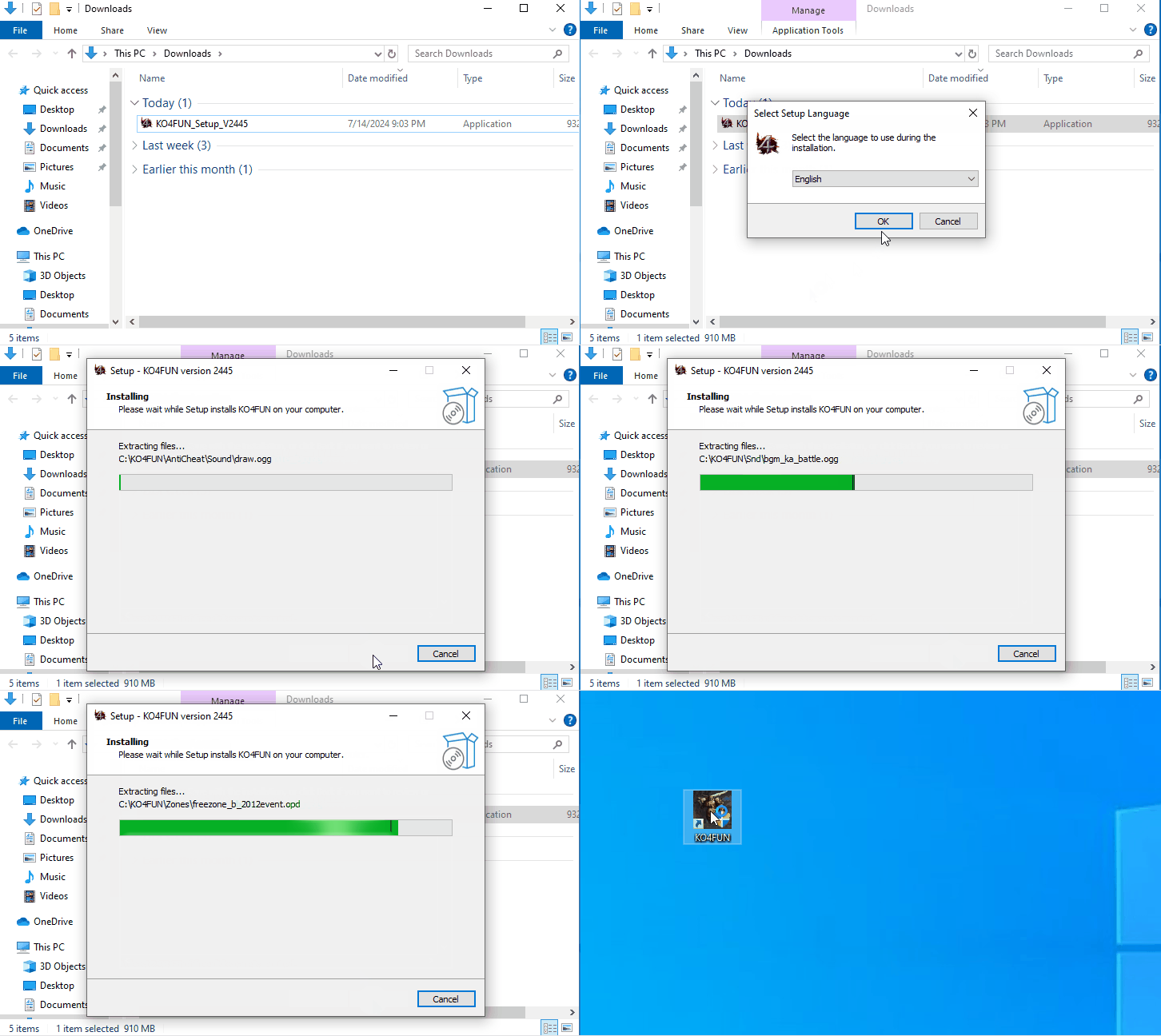
You can start the game and log in by double-clicking the 'KO4FUN' shortcut icon on your desktop.
We use cookies that are needed for the site to work, such as your session and language choice. If you accept, analytics and advertising cookies (Google Analytics, Meta Pixel) are also used to measure visits. Privacy policy